
Coding in Java: Print Statements
By Karthikeyan Gopalakrishnan | December 18th, 2025
Guiding Questions:
- What is the difference between print() and println()?
- What happens if you print something with nothing inside the parentheses?
- What does a + mean inside the parentheses?
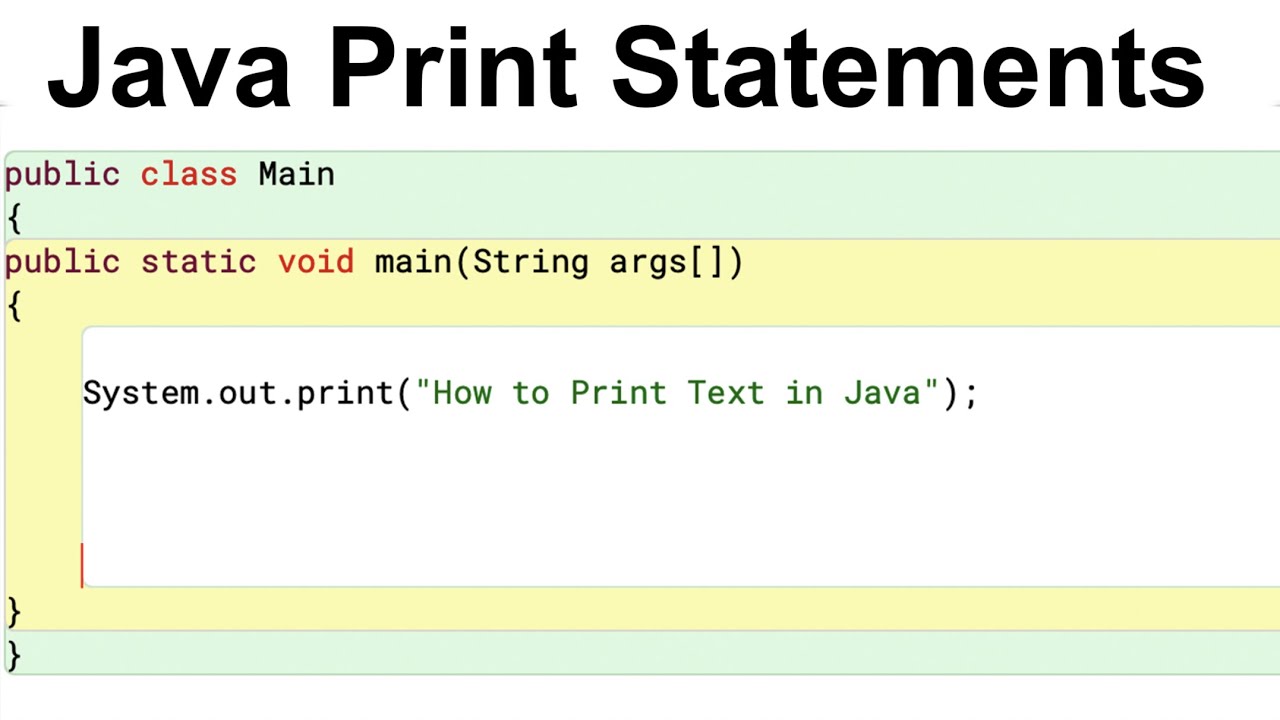
The print statement looks like System.out.print(), but what does each word mean?
- The “System” is a class that provides access to the system’s resources, such as gaining the ability to print
- The “out” essentially tells the computer where to send the output, but not send it yet
- The “print” is the actual function that tells the computer to send it to the destination specified by the “out.”
There are 3 different types, but what is the purpose of each one if all of them print something?
- print(): After you print something, the cursor will stay on the same line. If you print a second thing, it will be printed right after the 1st thing you printed
- println(): after you print something, the cursor will move to the next line. If you print a second thing, it will be printed under the first thing you printed
- . printf(): the “f” is a placeholder for different formatters, such as for alignment or decimals, but you most likely won’t need to be using these types
Here are 3 different ways to utilize this method:
-
- print(variable): if you have a variable that is assigned to any number, letter, or word, then you can print it out by calling that variable name.
- print(“Word”): you can print a direct string by putting it in quotation marks and then printing it out where thew quotation marks won’t be there, but just the word will be outputed
- print(word + “word): use can also use a + to concatenate or combine to things you want to print out together.
- Variable + variable: it will add the 2 values in to result a final value
- “String” + “string”: this will just put the second string stuck to the end of the first string adn output that combined string
- Variable + “string”: the assigned value to the variabel will just be stuck at the front of the string, printing the final combined result
- Nothing: if you print nothing, It wil just move your cursor to the next line without having to actually print anything
Review:
So Java print statements, they are much longer and seem more complex compared to print statements from Python. But like all coding languages, it will become easier as it goes on. These print statements can print variables, strings(words or letters), and nothing, just like print statements from Python, which you can check out in my blogs dedicated to Python. Be ready for the next Java blog lesson, and I will see from you then. Bye!

Recent Comments